

Latest Version
文达 田
Tools
Mac
$12.99
1469774098
Report a Problem
More About QSpace File Manager
The Ultimate Multi-Pane Productivity Booster for Mac
For power users, macOS Finder can sometimes feel limiting, especially when you find yourself constantly dragging windows around or switching tabs to move files. The QSpace multi-pane file manager is designed to solve this exact problem. Developed by 文达 田, this robust Mac utility transforms how you interact with your local and cloud directories by offering a highly customizable, multi-pane workspace that streamlines complex file operations.
Flexible Workspaces and Advanced File Handling
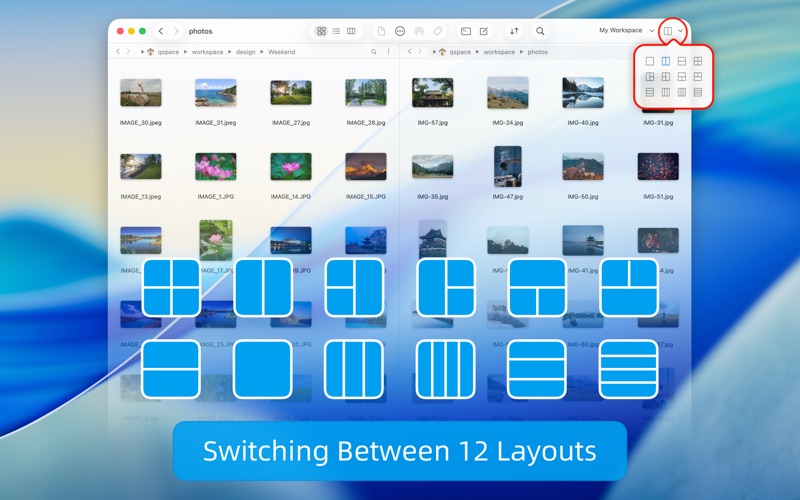
At the core of the QSpace multi-pane file manager is its highly versatile layout engine. Instead of opening multiple Finder windows, QSpace lets you split your main interface into up to 12 distinct window layouts with a single click. Here is how it enhances your daily operations:
- Multi-Pane Workspace: Transition seamlessly between 12 distinct layouts. You can create multiple custom workspaces, assign dedicated hotkeys to them, and rely on the automatic state-saving feature to restore your exact setup upon launch.
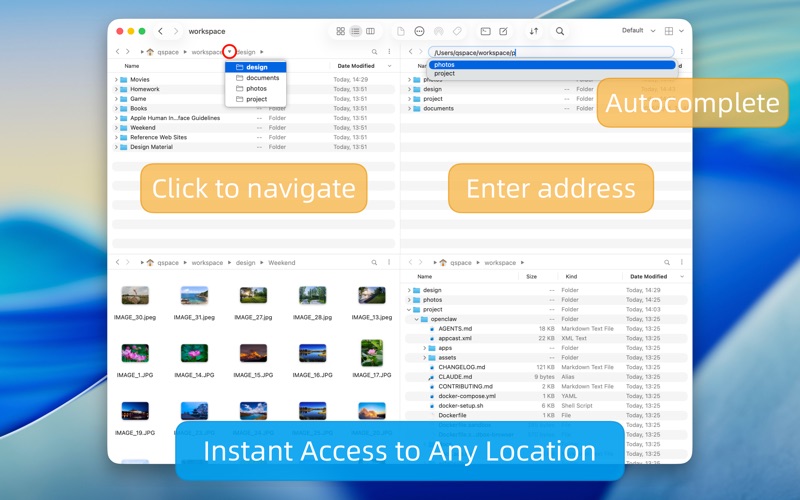
- Enhanced Navigation: Use the interactive, segmented address bar to quickly jump to any parent folder, or toggle the editable address bar to paste and copy direct file paths.
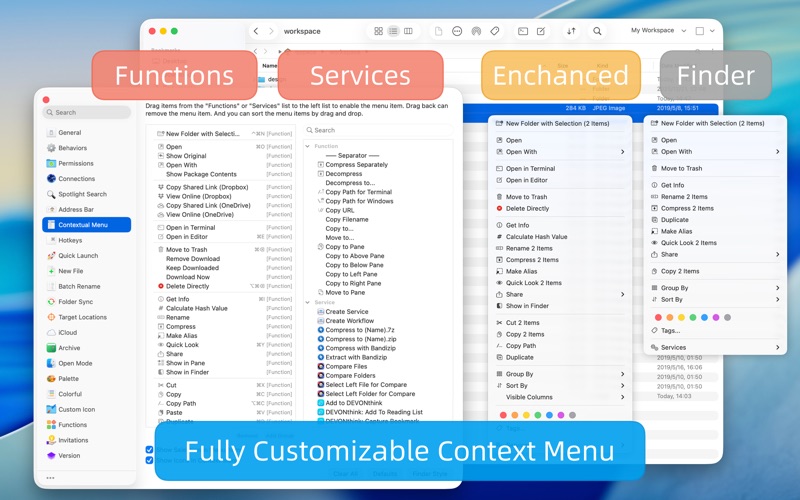
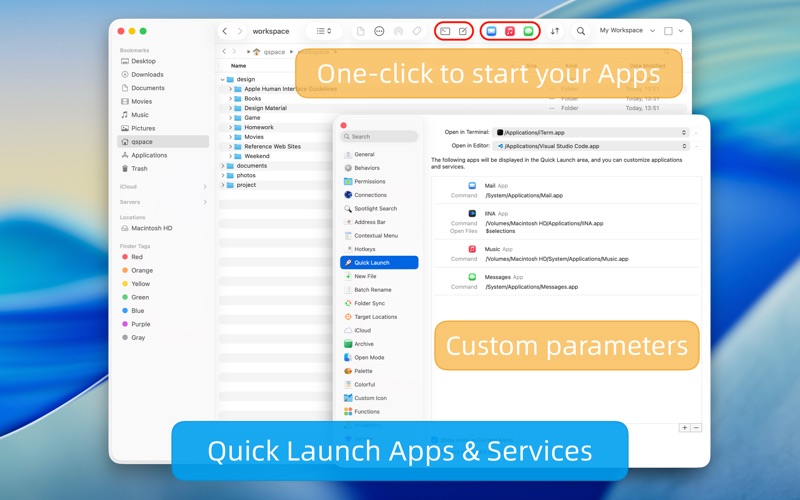
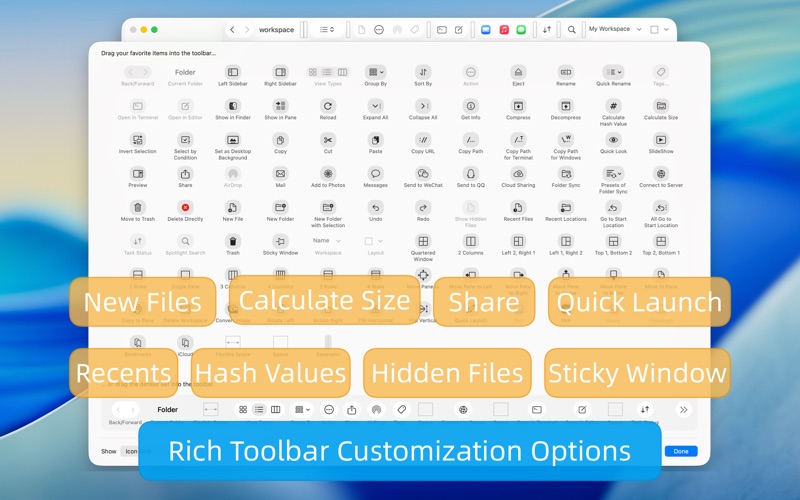
- Customization Options: Tailor your sidebar, design your own context menus, and set up a personalized Quick Launcher to trigger your most-used applications with ease.
- Developer-Friendly Tools: Open selected directories directly in terminal programs like Terminal or iTerm, or launch them in editors such as VSCode, Atom, or Sublime Text.
Power-User Extensions Built-In
Beyond standard file organization, the QSpace multi-pane file manager includes premium extension capabilities that replace several standalone utilities. The Enhanced Archiver lets you browse compressed archives as if they were standard folders and supports over 20 popular archive formats. For staging files across various locations, the Stash Shelf serves as a temporary clipboard where you can collect items and batch-process them later. Additionally, the Advanced Batch Rename utility provides real-time previews and regular expression support, making large-scale organization incredibly straightforward.
Seamless Cloud and Server Connections
In modern workflows, your files rarely live solely on your local hard drive. QSpace bridges this gap by supporting direct connections to various servers and cloud storage providers. Users can access FTP, SFTP, WebDAV, Dropbox, OneDrive, Google Drive, Amazon S3 (and S3-compatible systems), and Aliyun OSS directly within the pane-based interface, treating remote directories with the same ease of use as local storage.
Is QSpace Right for You?
If your daily routine involves managing hundreds of assets, connecting to remote servers, or constantly rearranging Finder windows, this tool is a game-changer. It offers the familiar aesthetics of macOS but packs the heavy-duty features that professionals need to stay efficient. To explore its full potential and elevate your file management, check out the app on the official Mac App Store today.
Rate the App
User Reviews













Popular Apps










Editor's Choice