

Latest Version
pwr-Solaar
Tools
Linux
Free
io.github.pwr_solaar.solaar
Report a Problem
More About Solaar
Solaar Linux Logitech manager is a dedicated, open-source utility designed specifically for Linux users who rely on Logitech peripherals. While Logitech provides robust configuration software for other operating systems, Linux users have historically faced challenges when trying to configure advanced features on their hardware. This specialized application bridges that gap, offering comprehensive control over a wide array of wireless and wired Logitech devices directly from your Linux desktop.
Why Solaar is Essential for Linux Power Users
If you use a Logitech mouse, keyboard, or trackpad on a Linux distribution, you are likely missing out on key hardware capabilities without a dedicated management tool. The Solaar Linux Logitech manager solves this problem by communicating directly with your devices via USB cables, Bluetooth, or wireless receivers (including Logitech Unifying, Lightspeed, and Nano receivers). It provides a clean graphical interface alongside a robust command-line tool, making it highly adaptable for both casual desktop users and terminal-focused system administrators.
Key Features and Hardware Control
This utility goes far beyond basic plug-and-play functionality, allowing you to access deep hardware settings that are usually locked away. Key features include:
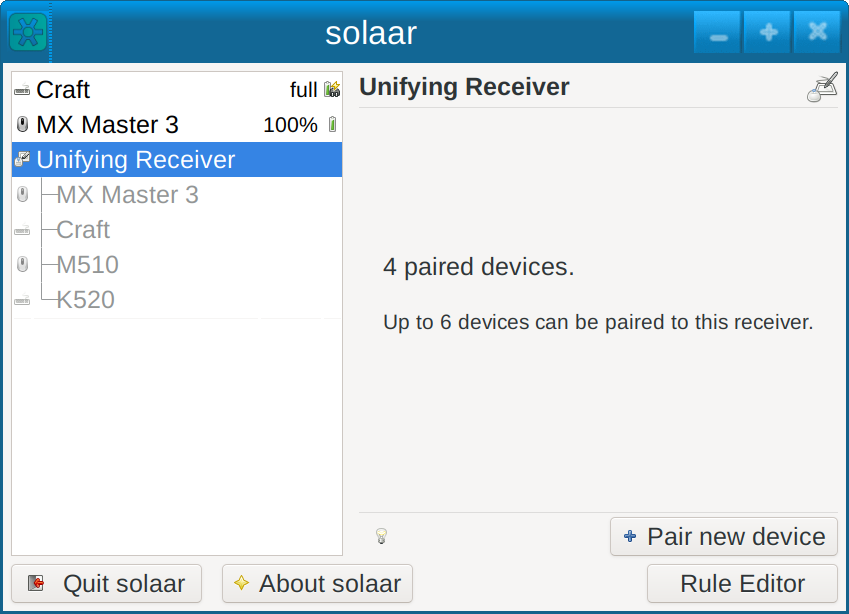
- Receiver Pairing: Easily pair and unpair multiple compatible devices to a single wireless receiver without needing a Windows or macOS machine.
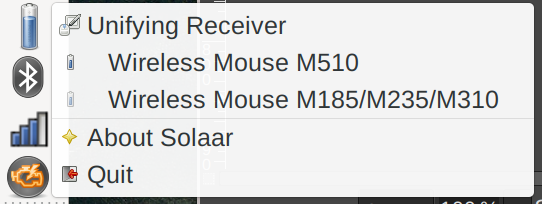
- Battery Monitoring: Keep track of your peripheral power levels with real-time battery status indicators displayed directly in your system tray.
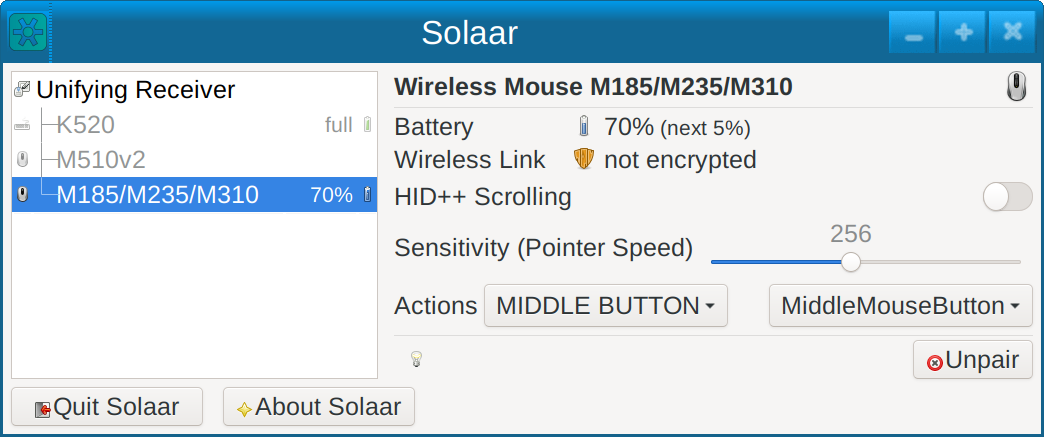
- Advanced Behavior Toggles: Toggle specific hardware features such as smooth scrolling, side-scroll behaviors, and swapping the functionality of Fn keys.
- Flexible Interface Options: Run the application as a lightweight system tray icon for quick access, or leverage the command-line interface for scripting and automation.
Who Benefits Most From This Tool?
The software is an invaluable asset for productivity professionals, developers, and gamers who rely on high-end Logitech input devices on Linux. Whether you need to monitor the battery life of your wireless mouse during long work sessions, reconfigure function keys on your keyboard, or manage multiple devices connected to a single Nano or Lightspeed receiver, this tool delivers the necessary control without any unnecessary background bloat.
Verdict and Official Access
Solaar is a reliable, lightweight, and incredibly useful utility that unlocks the true potential of your Logitech hardware on Linux platforms. It eliminates the frustration of unconfigurable peripherals and integrates seamlessly into major desktop environments. To explore this tool further or to add it to your system, head over to the official Flathub store page today.
Rate the App
User Reviews













Popular Apps










Editor's Choice